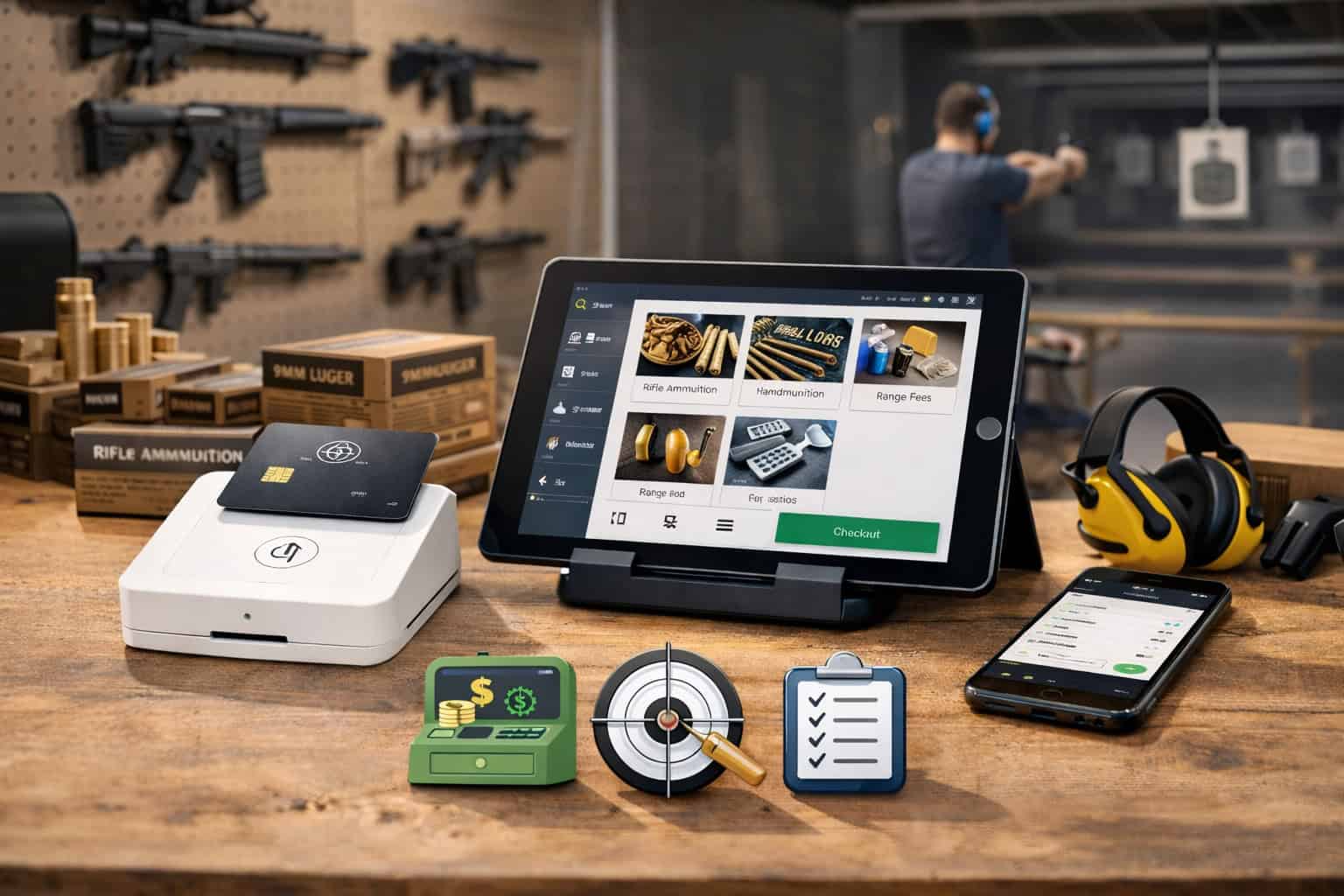
A modern range is no longer “just lanes and a register.” Most locations now run a mix of range time, memberships, classes, rentals, events, and retail—often with regulated items that demand extra documentation and tighter controls than a typical specialty store.
That’s why POS systems designed for shooting ranges have evolved into purpose-built operating platforms: they sell time, manage people on the floor, track serialized inventory, support compliant workflows, and keep payments and reporting clean.
This guide breaks down what POS systems designed for shooting ranges should do in the real world, how to choose the right setup, and what changes are likely over the next few years (including payments, security standards, and automation).
Throughout, I’ll use the primary term shooting range POS system often because it’s the exact phrase most buyers search—and because keyword clarity helps both readers and search engines.
Why a Shooting Range POS System Is Different From a Standard Retail POS
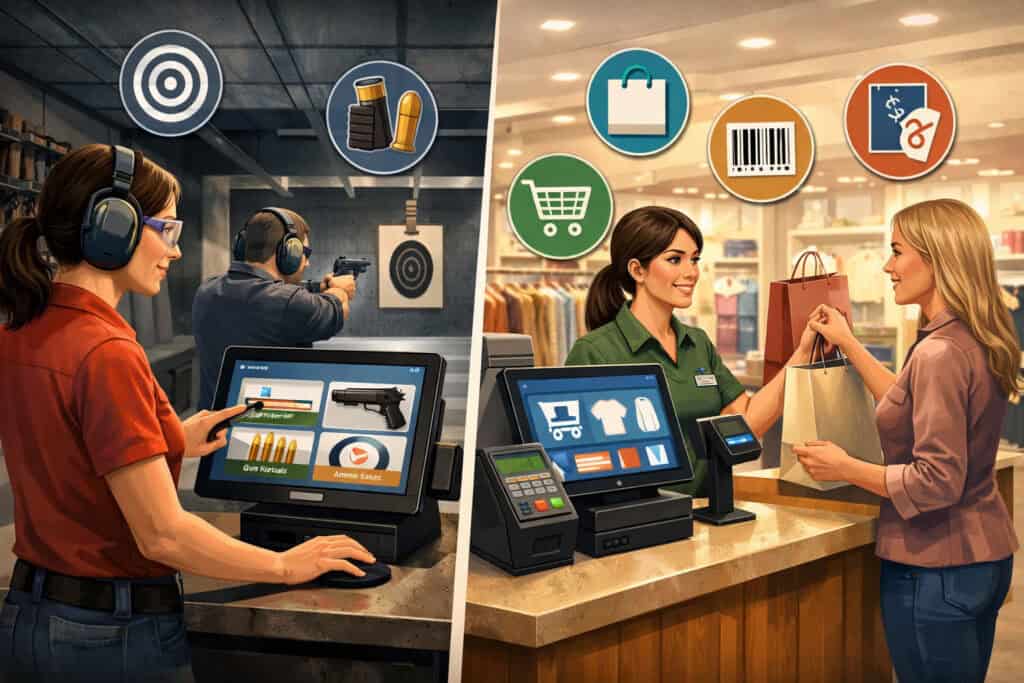
A standard retail POS is built to scan items, apply discounts, take payments, and print receipts. A shooting range POS system must do all of that plus solve problems that don’t exist in a normal retail environment: lane scheduling, waiver capture, membership billing, class rosters, range rules enforcement, equipment rentals, and often the handling of serialized products.
In practice, a range operates like a “hybrid business”—part entertainment venue, part training facility, part pro shop, and sometimes a regulated retail operation.
That hybrid model changes the daily workflow. When a customer arrives, you may need to verify membership status, capture a waiver, assign a lane, note party size, attach rental items, schedule a private lesson, and sell retail add-ons—all in a single transaction.
A generic POS can ring up a SKU, but it usually can’t orchestrate a smooth “guest journey” from check-in to checkout. POS systems designed for shooting ranges should shorten lines, reduce staff stress, and prevent mistakes that create liability (wrong lane assignment, missing waiver, incorrect rental return, etc.).
Ranges also tend to have peak-time pressure. Weekends, holidays, league nights, and event days can turn into bottlenecks fast. The right shooting range POS system isn’t only about features—it’s about speed, reliability, and operational control when the lobby is full and every minute matters.
You want the system to enforce policy without slowing the staff down, and to make it easier to deliver a safe, consistent customer experience.
Core Modules Every Shooting Range POS System Should Include
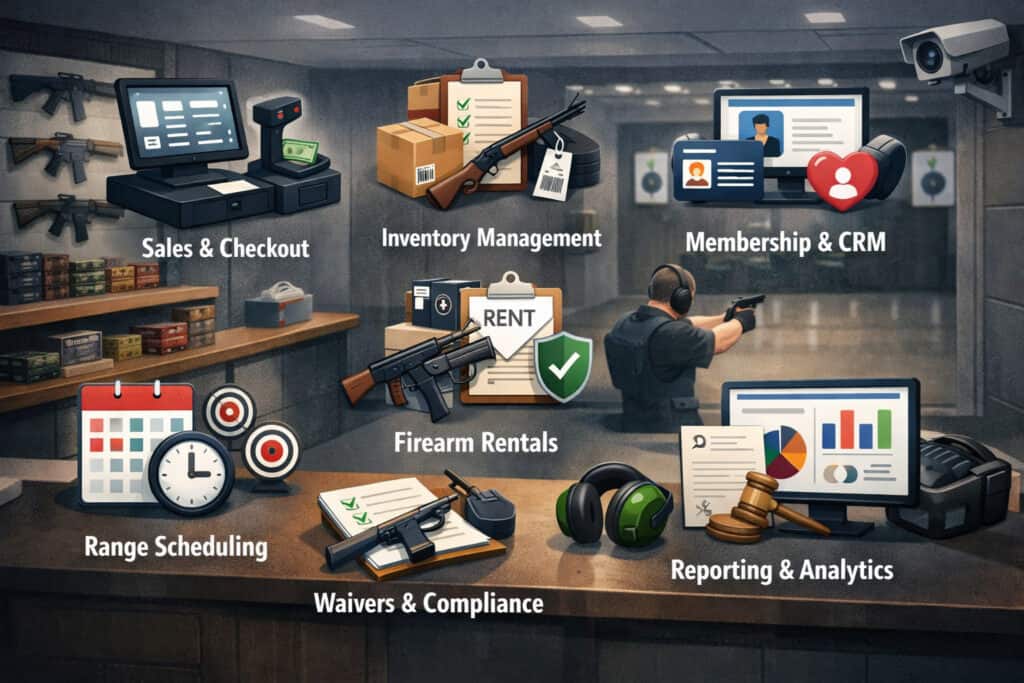
When evaluating POS systems designed for shooting ranges, focus less on the marketing checklist and more on whether the core modules match your revenue streams.
At minimum, a strong shooting range POS system should cover five operational pillars: (1) point-of-sale checkout, (2) lane/time management, (3) memberships and recurring billing, (4) classes/events scheduling, and (5) rentals and retail inventory.
Start with lane and time management because it impacts everything else. A good shooting range POS system should handle lane assignment, session duration, add-on time, reservation holds, and lane maintenance blocks.
It should also support quick reassignments when the floor changes—because real-world operations never follow the neat schedule on a calendar.
Next is memberships. Many ranges rely on memberships for predictable revenue and retention. Your shooting range POS system should support tiered plans, autopay, proration, freezes, upgrades, family accounts, and membership benefits (discounts, free range time, priority reservations). Membership data should flow into reporting so you can see lifetime value and churn, not just monthly totals.
Classes and events are another “must-have.” Training is often the best way to build long-term customer relationships. POS systems designed for shooting ranges should handle instructor calendars, rosters, prerequisites, digital waivers, and check-in lists.
And it should sell those classes online, not just at the counter—because modern buyers expect booking from their phone.
Finally, rentals and retail inventory need proper controls. Rentals have a lifecycle (out, returned, inspected) and retail requires clean product catalogs, discounts, taxes, and inventory counts. If you also sell serialized items, your shooting range POS system should offer stronger tracking and audit capability than a standard boutique POS.
Lane Reservations, Queues, and Peak-Time Throughput
If your lobby gets crowded, your biggest profit leak is often not pricing—it’s throughput. The best POS systems designed for shooting ranges treat lanes like seats at a theater: limited capacity, time-based sessions, and constant optimization.
Your shooting range POS system should allow both walk-ins and reservations, and it should also support a queue system when you’re at capacity.
Reservation tools should include deposits, cancellation rules, no-show handling, and automated confirmations. You want fewer phone calls and fewer “what time is my lane?” interruptions.
A shooting range POS system should also manage party size and lane pairing, since many ranges assign lanes based on group composition and supervision policies. Those rules should be configurable, not hard-coded.
For walk-ins, the queue must be fast and transparent. Ideally, staff can quote wait times, text customers when lanes open, and keep the lobby moving. This is where POS systems designed for shooting ranges beat generic retail POS: the system understands time, capacity, and scheduling—not just SKUs.
Also look for operational controls: lane maintenance blocks, range closures, private events, league nights, and staff-only training time. Your shooting range POS system should let managers “shape demand” by controlling availability and offering off-peak incentives without creating chaos at the counter.
Peak throughput also depends on hardware speed and workflow design. If staff have to click through six screens to assign a lane, your system is working against you. The ideal shooting range POS system reduces check-in to a repeatable sequence: verify → waiver → lane/time → rentals → payment → print or text receipt.
Memberships, Passes, and Recurring Billing That Actually Reduces Churn
Membership revenue looks great on paper until churn rises and failed payments pile up. POS systems designed for shooting ranges should treat memberships as a lifecycle, not a single monthly charge. Your shooting range POS system should track signup source, plan type, discount usage, visit frequency, and engagement with classes or events.
A high-performing membership module should support:
- Multiple tiers (basic, premium, family, weekday-only, etc.)
- Benefits and rules (discounts, included range time, guest passes)
- Autopay with smart retries and customer notifications
- Upgrade/downgrade paths and proration logic
- Freeze options (seasonal members, travel, etc.)
- Membership-linked waivers and check-in speedups
The goal is to make joining easy and staying even easier. A shooting range POS system should automate the boring parts (billing, emails, receipts, renewals) while giving managers clear churn signals: members who haven’t visited in 30–60 days, members with repeated payment failures, or members who only visit on discounted days.
Passes are another retention lever: day passes, multi-visit punch cards, and bundled packages. POS systems designed for shooting ranges should allow packages that mix range time, rentals, and even class credits. When you can bundle a beginner package into one purchase, you simplify the customer decision and increase revenue per visit.
Finally, recurring billing should integrate cleanly with your accounting and reporting. You want to see membership MRR, churn, and net revenue retention—without exporting spreadsheets daily. When your shooting range POS system provides that clarity, you can make better pricing decisions and confidently scale marketing.
Rentals, Returns, and Damage Controls Built Into the Shooting Range POS System
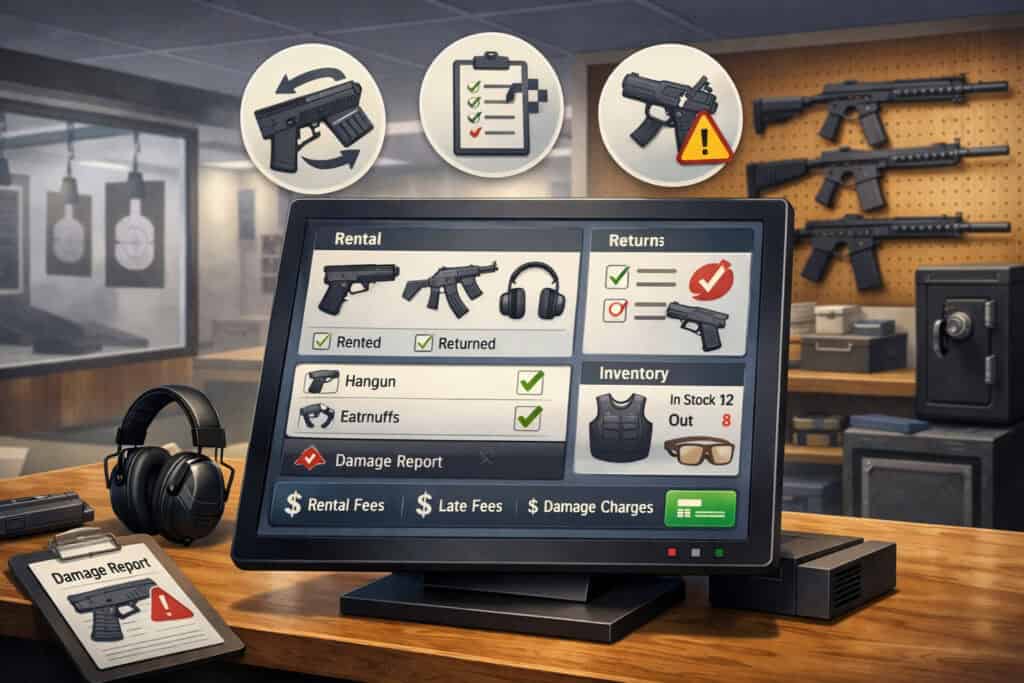
Rentals are easy to sell and surprisingly easy to lose money on. A shooting range POS system needs rental controls that protect your assets while keeping the customer experience smooth. That starts with a clear rental catalog, time-based rental rules, and return workflows that staff can follow even during rush hours.
Your system should allow a rental item to be checked out to a lane or customer profile, not just sold as a line item. That helps staff know what’s out, what’s due back, and what needs inspection.
POS systems designed for shooting ranges often do best when they track rental status: available → checked out → returned → cleaning/inspection → available. Without that, you’ll eventually face shortages, disputes, and inconsistent “ready to rent” standards.
Damage and loss handling matters too. Your shooting range POS system should support deposits or pre-authorizations (where allowed by your processor policies), incident notes, and internal flags that prompt staff to follow a standard process.
You don’t want a confusing argument at the counter; you want consistent documentation and predictable outcomes.
Bundles can also make rentals more profitable. Many ranges sell “lane + rental + target pack” bundles. The POS should handle these bundles cleanly so inventory and reporting stay accurate. If bundles break your inventory math, you’ll always be fighting stockouts or overselling.
And don’t forget turnaround speed. Rentals need cleaning supplies, staff time, and tracking. The best POS systems designed for shooting ranges help you measure turnaround time and usage rates, so you know whether you need more rental units—or simply need a better workflow.
Retail Inventory Management for Range Pro Shops

Even if your range is primarily about lanes and training, retail often drives margins. A strong shooting range POS system should handle a pro-shop product mix that includes apparel, targets, accessories, eye/ear protection, consumables, and higher-ticket items that require tighter tracking.
The point is not just “inventory exists,” but that your system supports accurate counts, reordering, vendor management, and shrink reduction.
Inventory best practices in retail include regular cycle counts, demand forecasting, and clear receiving workflows, because mistakes compound quickly when product variety grows. General retail guidance consistently emphasizes accurate tracking and disciplined processes as the foundation for profitability.
For a range, the inventory challenge is amplified by spikes: weekends, events, new member drives, and seasonal buying patterns. POS systems designed for shooting ranges should provide dashboards that highlight fast movers, dead stock, and margin by category.
Without those insights, ranges tend to overbuy slow accessories and understock the basics that actually sell daily.
Look for the ability to set reorder points and run purchase suggestions. Also make sure your POS supports barcode labels, variants (sizes/colors), and kits/bundles. A shooting range POS system that can’t do variants cleanly will create constant friction in apparel and gear categories.
Shrink control is the final piece. Your system should have role-based permissions, refund/void controls, and an audit trail. It should also support serialized inventory where relevant (with stricter logging and controlled receiving).
Even if you don’t sell regulated items, high-ticket optics and electronics benefit from serialized tracking to reduce loss and simplify warranty handling.
Compliance Workflows: Documentation, Audit Trails, and “Don’t Miss a Step” Design
For many operators, compliance is the make-or-break issue. If your business includes regulated retail activity, your shooting range POS system should support compliant workflows without turning your counter into a paperwork nightmare.
That means prompting staff through required steps, storing records appropriately, and producing a clean audit trail when needed.
In the United States, regulated retail transactions often involve the Bureau of Alcohol, Tobacco, Firearms and Explosives (ATF) and Form 4473 requirements for certain sales/transfers, and the agency provides an official eForm 4473 application download and documentation. (Always confirm your exact obligations with qualified counsel and the applicable regulators in your area.)
The practical POS takeaway: POS systems designed for shooting ranges should integrate with (or at least coexist cleanly alongside) your recordkeeping workflows so employees don’t “skip steps” under pressure.
Even if the compliance system is separate from the POS, your customer profile, receipt, and transaction notes should connect to internal processes in a way that’s consistent and searchable.
Audit trails matter outside of regulated sales too. Waivers, lane assignments, rental checkouts, and incident notes can all become part of your risk management. A shooting range POS system should timestamp critical actions, record staff users, and preserve change history. You don’t want a system that allows silent edits.
Also consider training and permissions. New hires should not have full refund authority on day one. Managers should be able to lock down functions like discounts, voids, comps, and manual price overrides. The more your shooting range POS system supports “policy by design,” the less you rely on memory and verbal instruction.
Payments, Risk, and Card Network Realities for Range Businesses
Payments are where many ranges feel the most pain: unexpected account holds, inconsistent approvals, and confusing risk reviews. A shooting range POS system is only as good as the payment setup behind it.
You want a processor and payment gateway that understand your business model, support your product mix, and provide stable underwriting.
From an operational perspective, your POS should support multiple tender types: cards, cash, gift cards, split tenders, store credit, and (increasingly) real-time bank payments. It should also support tips for training staff, if that’s part of your model, and it should keep chargebacks manageable with good receipts and metadata.
Security standards have also tightened. PCI DSS v4.0.1 was published in mid-2024, and the PCI Security Standards Council maintains the official document library.
Many organizations aligned their implementation plans around the v4 transition timeline, including future-dated requirements that became effective in 2025 (a common planning benchmark referenced by many compliance guides).
The point for range owners: your shooting range POS system should make compliance easier by minimizing card data exposure (tokenization, point-to-point encryption, and hosted payment pages where appropriate), and by keeping software updated.
When evaluating POS systems designed for shooting ranges, ask: Who owns PCI scope? What’s the division of responsibility between the POS vendor, gateway, processor, and your business? The wrong answer is “we’re PCI compliant” with no details. The right answer includes clear documentation and a path to reducing your compliance burden.
Online Booking, E-Commerce, and Digital Waivers That Convert
Modern customers expect to book online. If they can’t reserve a lane, join a membership, or register for a class from their phone, they’ll choose the competitor who makes it easy. POS systems designed for shooting ranges should include online modules or integrate with booking tools that sync in real time with lane availability and instructor schedules.
The highest-impact online features usually include:
- Lane reservations with deposits and policies
- Membership signup and self-service account management
- Class registration with prerequisites and waitlists
- Digital waivers with secure storage and easy retrieval
- Automated reminders (text/email) to reduce no-shows
A shooting range POS system should also support e-commerce for retail items or gift cards, even if your product mix is mostly in-store. Gift cards in particular can be a strong acquisition channel around holidays and event seasons.
Digital waivers deserve special attention. The waiver is both operational (speeding check-in) and legal (documenting informed consent). Your shooting range POS system should ensure waivers are tied to customer profiles, expiration rules are enforced, and staff can verify waiver status instantly.
If waivers are stored in a separate platform, the POS should still show waiver status at check-in so you don’t waste time searching multiple systems.
Conversion matters too. Online booking should not feel like a complex form. The best POS systems designed for shooting ranges guide customers through a simple funnel: choose activity → pick time → add rentals → sign waiver → pay. Every extra step reduces completion rates.
Reporting and KPIs: What to Track in a Shooting Range POS System
If you only look at “daily sales,” you’ll miss what’s actually driving growth. POS systems designed for shooting ranges should provide KPI reporting that matches how ranges earn revenue: lane utilization, membership revenue, class fill rates, retail margins, rental attachment rate, and customer retention.
Start with lane utilization. You want to know: what percent of lane capacity was sold, by day and hour? When you can see utilization by time block, you can price correctly—raising peak rates, offering off-peak deals, and scheduling staff to match demand.
Next is attachment rate: how often do customers add rentals, targets, or training? A shooting range POS system should show how bundles and upsells perform, and which staff members are best at offering add-ons without being pushy.
Membership metrics are essential: new joins, cancels, churn rate, failed payments, and visit frequency by tier. Classes should be measured by fill rate, revenue per seat, and post-class conversions (does training lead to membership upgrades or repeat bookings?).
Retail reporting should include margin by category, inventory turnover, and dead stock. If your POS can’t show margin, you’re guessing. And if your reports can’t separate lane revenue from retail revenue, you’ll struggle to see what’s really working.
Finally, look for clean exports and integrations with accounting. A shooting range POS system that creates messy books costs you time and professional fees. Clear, structured reporting is not a luxury—it’s what lets you scale confidently.
Hardware, Networking, and Floor-Ready Reliability
Even the best software fails if the hardware is fragile or the network is unreliable. POS systems designed for shooting ranges should run on durable, serviceable setups that can handle high traffic, dust, and constant use. Think in terms of uptime: when your POS is down, lanes don’t sell, classes can’t check in, and staff lose control.
At a minimum, plan for:
- Reliable terminals (counter and/or mobile)
- Barcode scanners for retail
- Receipt printers (and optionally kitchen-style printers for range tickets)
- Cash drawers if you accept cash
- Label printers for inventory (optional but valuable)
- Strong Wi-Fi coverage and a stable router
- Backup internet option (hotspot or secondary ISP) for continuity
Ask whether your shooting range POS system has offline mode. Some systems can still ring sales during an outage and sync later, while others stop completely. For a range, offline capability can be the difference between a bad hour and a ruined Saturday.
Also consider mobile workflows. Tablets or handheld devices can speed up check-in and reduce counter congestion. If your POS supports roaming checkout, staff can sell add-ons, renew memberships, or register customers without forcing everyone into one line.
Reliability isn’t glamorous, but it’s a competitive advantage. A well-designed shooting range POS system paired with stable hardware feels “effortless” to customers—and that directly impacts repeat visits.
Implementation: Data Migration, Training, and Change Management
Switching POS systems designed for shooting ranges is a business project, not just a software install. The best outcomes come from treating implementation like an operational reset: documenting workflows, training staff, cleaning up inventory, and aligning the POS with how you actually want the business to run.
Data migration is the first hurdle. You may need to import customers, memberships, waivers, classes, gift cards, inventory, and pricing rules. Plan to clean your data before moving it.
Duplicate customer records, outdated SKUs, and inconsistent pricing will create confusion on day one. A strong vendor will help you map fields correctly and test the migration in a sandbox before going live.
Training is the second hurdle. Don’t just train on buttons—train on scenarios: “walk-in family of four,” “member renewal,” “class check-in,” “rental return with damage,” “refund request,” “no-show reservation.” A shooting range POS system should make these scenarios simple, but only if staff learn the intended flow.
Change management is the third hurdle. Expect a short learning curve and plan for it. Run parallel processes briefly if needed, and schedule extra staffing for the first weekend. Make sure managers know how to handle overrides, refunds, and reports. Also assign a “POS owner” internally—someone accountable for settings, permissions, and ongoing improvements.
A well-implemented shooting range POS system should reduce errors, not introduce new ones. The difference is usually preparation, not software.
Future Predictions: Where POS Systems Designed for Shooting Ranges Are Headed
Over the next few years, POS systems designed for shooting ranges are likely to become more automated, more security-driven, and more integrated with real-time money movement. Three trends stand out: AI-assisted operations, instant payments adoption, and stricter security controls.
First, AI and automation. Expect more systems to introduce predictive scheduling (forecasting lane demand), automated staffing suggestions, smarter inventory ordering, and “next best action” prompts at checkout (membership upgrade offers, class recommendations, bundle suggestions). These tools won’t replace staff, but they can reduce decision fatigue and increase consistency.
Second, real-time payments. Instant bank-to-bank rails are expanding. FedNow launched in 2023 and has continued growing participation among financial institutions, with public updates describing ongoing expansion and network progress.
As these rails mature, more shooting range POS system vendors and processors will offer faster settlement options that can improve cash flow and reduce reliance on card-only strategies (availability depends on provider support and bank participation).
Third, security and compliance pressure. PCI standards have moved forward with v4.x updates, and many organizations have been modernizing controls around scripts, monitoring, authentication, and payment page integrity.
For ranges, this will push more adoption of tokenization, hosted payment fields, and system architectures that reduce PCI scope.
The overall direction is clear: POS systems designed for shooting ranges will look less like “cash registers” and more like operating systems that connect lanes, training, retail, memberships, and payments into one measurable customer journey.
FAQs
Q.1: What is the best shooting range POS system?
Answer: The best shooting range POS system is the one that matches your revenue model and removes bottlenecks. If your business depends heavily on lane reservations and memberships, prioritize scheduling, waivers, and recurring billing.
If retail is a major driver, prioritize inventory, margin reporting, and barcode workflows. The “best” choice is usually the system that reduces counter time, prevents missed steps, and produces clean reports your team actually uses.
Also evaluate vendor support and implementation help. Many problems blamed on the POS are really problems of setup and training. POS systems designed for shooting ranges should include role permissions, audit trails, and workflow controls that keep operations consistent even with new staff.
Q.2: Can a shooting range POS system handle memberships and autopay?
Answer: Yes—if it’s purpose-built. The membership module should support tiered plans, benefits, proration, upgrades, and automated receipts. It should also support payment retry logic and member notifications to reduce failed payment churn.
If the system “can do recurring” but doesn’t track visit frequency or churn indicators, it’s not truly membership-ready.
The best POS systems designed for shooting ranges make membership check-in faster (waiver status, benefits, discounts) so members feel the value every visit.
Q.3: Do POS systems designed for shooting ranges support online booking?
Answer: Many do, either natively or through integrations. Online booking should sync with lane availability and instructor schedules in real time. Look for deposits, cancellation rules, waitlists for classes, and automated reminders.
A shooting range POS system that treats online and in-store as separate worlds will create double bookings and staff frustration.
Q.4: How do I keep payments secure with a shooting range POS system?
Answer: Choose a setup that reduces card data exposure and clearly defines responsibilities between the POS vendor, gateway, and processor. PCI DSS standards have evolved in the v4.x era, and official documents are maintained by the PCI Security Standards Council.
In practice, you want tokenization, encryption, software updates, and strong user access controls. Your shooting range POS system should make secure behavior the default, not an optional add-on.
Q.5: How long does it take to switch POS systems for a shooting range?
Answer: It depends on complexity: number of SKUs, membership tiers, waiver history, and class schedules. The real determinant is preparation—data cleanup, workflow mapping, and training. A range that migrates inventory and memberships carefully can go live smoothly.
A range that “wings it” may spend weeks fixing errors. Treat the transition as a business project and your shooting range POS system will pay off faster.
Conclusion
The right POS systems designed for shooting ranges do more than process transactions. They control lane capacity, increase throughput, stabilize membership revenue, simplify rentals, strengthen reporting, and support clean, policy-driven operations.
In a business where safety, consistency, and customer experience all matter, your shooting range POS system becomes the backbone of daily execution.
When evaluating options, prioritize: lane/time management, memberships, class scheduling, rental tracking, inventory controls, secure payments, and reporting that matches how ranges earn money.
Don’t underestimate implementation—data migration and scenario-based training are often the difference between “this POS is a disaster” and “this POS runs our business.”
Looking ahead, POS systems designed for shooting ranges will become more automated and more connected: AI-assisted ops, more online-first booking and waivers, and expanded use of instant payment rails as participation grows.
If you choose a platform that’s built for range workflows today and is actively evolving, you’ll be positioned to grow revenue, reduce friction, and deliver a smoother experience for both first-time visitors and loyal members.