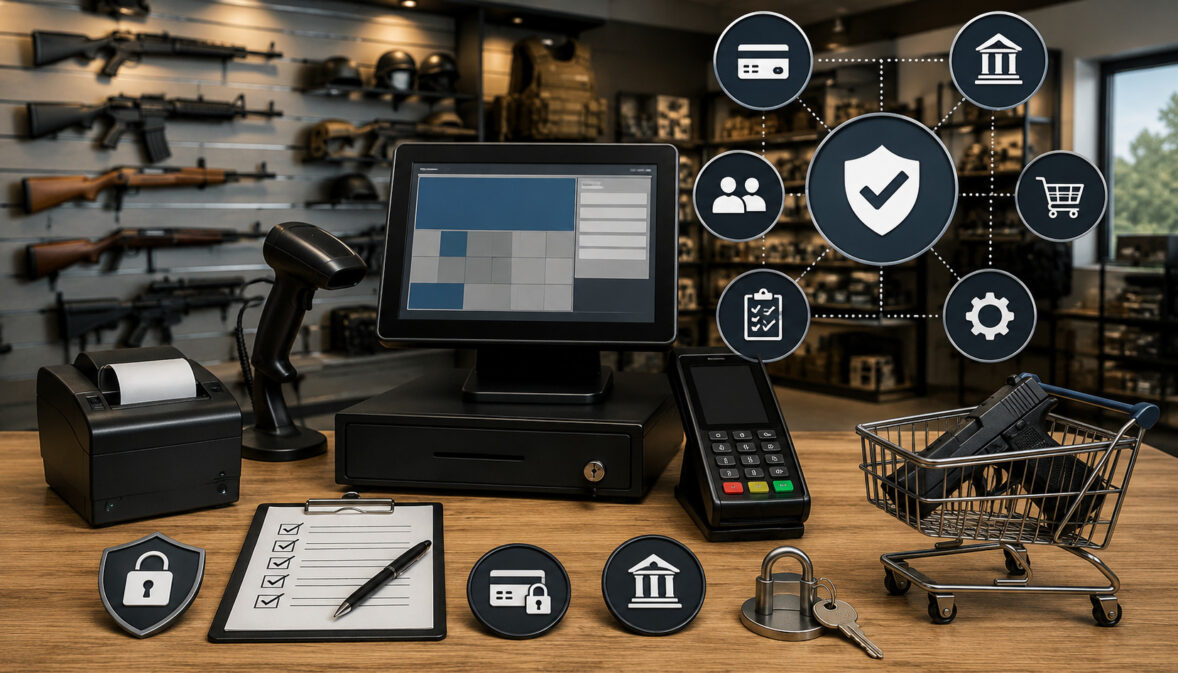
Setting up payment processing for a firearm-related business involves more than ordering a card terminal and connecting it to a bank account. Firearm retailers often sell through several channels, process higher-value transactions, manage regulated products, and operate under payment-provider policies that may differ from those applied to ordinary retail businesses.
A well-planned merchant services setup can help gun shops, FFL dealers, shooting ranges, gunsmiths, accessory sellers, training providers, and online firearm-related businesses accept payments securely and maintain consistent records. It can also reduce avoidable underwriting delays, account reviews, funding interruptions, fraud losses, and chargeback disputes.
This merchant services setup guide for firearm retailers explains how to prepare an application, document the business model, choose payment tools, build security controls, train employees, and manage transactions after approval. It also discusses common underwriting questions, website expectations, fees, reserves, settlement timelines, and reporting workflows.
Payment requirements can vary according to the products sold, sales channels used, applicable licensing obligations, processor policies, acquiring-bank requirements, and local regulations.
This article provides general educational guidance rather than legal, banking, regulatory, or contract advice. Retailers should obtain professional review when evaluating requirements that apply to their specific operations.
What Are Merchant Services for Firearm Retailers?
Merchant services are the accounts, technologies, and operational tools that allow a business to accept, process, settle, record, and manage electronic payments.
For firearm retailers, this may include a merchant account, countertop terminal, POS system, payment gateway, virtual terminal, mobile reader, invoicing platform, ACH functionality, reporting dashboard, and chargeback management tools.
When a customer presents a card, the payment request travels through several parties before approval. The terminal or checkout page collects payment information, a payment processor routes the request, and the relevant financial institutions authorize or decline it.
Approved transactions are then included in a batch and deposited according to the account’s settlement schedule.
Merchant services for firearm retailers may support:
- EMV chip card payments at a retail counter
- Contactless cards and compatible digital wallets
- Online checkout for approved products and transactions
- Keyed payments through a secure virtual terminal
- Payment links and electronic invoices
- Mobile payments at approved business locations or events
- ACH payments for eligible transactions
- Recurring billing for shooting range memberships
- Refund, void, and transaction-search functions
- Deposit, fee, batch, and chargeback reporting
The exact tools available depend on the approved business model. A retailer should not assume that approval for countertop transactions automatically includes eCommerce, telephone orders, recurring billing, mobile acceptance, or other card-not-present activity.
Merchant Services vs. a Merchant Account
Merchant services and merchant accounts are related, but they do not mean exactly the same thing.
A merchant account is the payment arrangement that allows a business to submit card transactions and receive settled funds. It is established through a payment processor and acquiring bank after the business completes underwriting.
The merchant account is connected to the retailer’s operating bank account, but it is not a standard checking account that the business directly uses for ordinary expenses.
Merchant services represent the wider payment environment surrounding that account. They may include:
- Card terminals and mobile readers
- POS software
- Payment gateways
- Hosted checkout pages
- Virtual terminals
- Invoice and payment-link tools
- Fraud screening
- Tokenization
- Recurring billing
- Chargeback notifications
- Settlement reporting
- Technical support
A firearm merchant account setup may therefore be only one part of a larger implementation. Even after the account is approved, the retailer must configure equipment, user permissions, refund rules, fraud controls, batch schedules, receipts, reporting, and reconciliation procedures.
Why Firearm Retailers Need Specialized Setup Planning
Firearm-related businesses can receive more detailed review because payment providers need to understand what the business sells, whether the processor supports those products, and how transactions will occur.
An application that simply describes the business as “retail” may not provide enough information. Underwriters may request a product catalog, current licensing documents where applicable, supplier information, processing statements, website policies, ownership records, and estimated transaction activity.
The review may also distinguish among:
- Firearm sales
- Ammunition
- Optics and accessories
- Gunsmithing
- Training courses
- Range fees
- Membership billing
- Apparel and general sporting goods
- Online transactions
- Transfers or deposits
- Mobile or event-based sales
Different channels produce different risks. An EMV transaction completed at a physical checkout counter is not evaluated in the same way as a manually entered telephone payment or an online order. Card-not-present transactions can have greater fraud and dispute exposure because the card and cardholder are not physically present at checkout.
Specialized planning helps the retailer obtain approval for its actual activities rather than forcing those activities into an account that was designed or approved for something else.
Step One: Understand Your Firearm Retail Business Model

Before applying for gun store merchant services, document how the business earns revenue and how customers will pay. Underwriting decisions, equipment choices, gateway configurations, fraud controls, and pricing can all depend on this information.
Begin by listing each product and service category. A full-service retail location may sell firearms, ammunition, safes, optics, cleaning supplies, apparel, and range accessories. It may also collect transfer fees, gunsmithing charges, training fees, range rentals, deposits, and recurring membership payments.
Next, identify where each transaction occurs. Relevant environments may include:
- A permanent retail counter
- An online store
- A shooting range
- A service or repair counter
- Telephone or mail-order workflows
- Electronic invoices
- Approved trade events
- Mobile business locations
- Subscription or membership billing
Estimate expected monthly volume, average ticket size, highest likely transaction, refund frequency, seasonal changes, and the percentage of card-present versus card-not-present payments. These estimates should be realistic and supported by prior statements, forecasts, inventory plans, or operating history when available.
A clear business model helps the payment processor configure appropriate limits. It also reduces the chance that normal activity will later appear unusual because it differs sharply from the original application.
Identifying Your Sales Channels
A sales channel is any environment in which a customer places an order or submits payment. Firearm retailers should disclose every channel they expect to use, even when one channel represents only a small share of total revenue.
Common channels include:
- Card-present checkout: Customers insert, tap, or swipe a card at a physical terminal.
- Online checkout: Customers enter payment details through a secure website.
- Virtual terminal: Authorized staff key payment information into a browser-based interface.
- Payment links: The business sends a secure link that allows the customer to complete payment.
- Electronic invoices: The customer receives an invoice containing an approved payment option.
- Mobile acceptance: Staff use a portable device at an approved location.
- ACH payments: Customers authorize a bank-account transfer for an eligible payment.
- Recurring billing: Membership or service charges are processed according to an agreed schedule.
Do not classify a remote transaction as card-present merely because an employee enters it at the store. A transaction is generally card-not-present when the physical card is not read by the payment device during checkout.
Accurate channel disclosure allows the processor to assess risk, set pricing, select the correct merchant category, activate appropriate tools, and establish suitable fraud controls.
Matching Payment Tools to Real Operations
The best firearm payment processing setup is not necessarily the one containing the most features. It is the setup that supports the retailer’s actual workflows without creating unnecessary complexity or exposure.
A small gun shop processing nearly all transactions at one counter may need a POS system, EMV terminal, receipt printer, inventory integration, and basic reporting. It may have little need for a virtual terminal or recurring billing.
A shooting range may require countertop acceptance, mobile devices, online reservation payments, stored customer tokens, and recurring membership billing. A gunsmith may benefit from invoices or payment links for deposits and completed repairs.
An online accessory seller may depend heavily on a firearm payment gateway, fraud screening, shipping records, order-management integration, and card-not-present reporting. A retailer selling regulated products online may require additional workflows beyond payment acceptance, including applicable transfer, identity, shipping, and customer-verification controls.
Evaluate tools by asking:
- Where is the customer when payment occurs?
- Is the card physically present?
- Does the business need partial payments or deposits?
- Are refunds processed at the same location?
- Will memberships renew automatically?
- Does inventory need to synchronize across channels?
- Which employees need access?
- What evidence will be available if a dispute occurs?
Step Two: Prepare Documents Before Applying

Document preparation is one of the most important parts of a firearm merchant account setup. Underwriters need to verify that the applicant is a legitimate business, that ownership information is complete, and that the requested payment services match the retailer’s operations.
Requirements vary, but applicants may be asked for:
- Legal business name and DBA
- Formation or registration documents
- Tax identification information
- Physical and mailing addresses
- Ownership and beneficial ownership details
- Government-issued identification for owners
- Voided check or bank verification letter
- Business licenses
- Current FFL documentation where applicable
- Website address
- Product catalog or inventory list
- Supplier or distributor information
- Recent bank statements
- Previous processing statements
- Chargeback and refund history
- Expected monthly card volume
- Average and maximum ticket amounts
- Estimated card-not-present percentage
- Written refund and shipping policies
The information should be current and consistent. A business address on an application that does not match the license, bank record, website, or formation documents may generate questions. A DBA used online should also be disclosed when it differs from the legal entity name.
The retailer should keep complete copies of everything submitted. This creates a record of what the payment provider approved and makes future updates easier.
Business Verification Documents
Business verification confirms who owns and controls the company, where it operates, and where settled funds will be deposited. It is a standard part of merchant account underwriting, although the level of review varies.
Underwriters may compare:
- Legal entity records
- Tax information
- Owner identification
- Beneficial ownership details
- Business address
- Operating bank account
- Website contact information
- Licensing records
- Processing history
The bank account generally should be held in the business’s name or otherwise satisfy the provider’s requirements. Using unrelated personal banking information can delay approval and create accounting problems.
Established retailers may be asked for several months of processing statements. These statements help reviewers evaluate monthly volume, average ticket, refunds, chargebacks, transaction methods, and seasonal activity.
New businesses without processing history can provide realistic projections based on inventory, pricing, location, expected customer traffic, contracts, or previous operating experience. Projections should not be inflated in an attempt to obtain higher limits.
Firearm-Specific Documentation
Businesses engaged in activities requiring a federal license should be prepared to provide a current copy during underwriting. Official licensing information for firearm businesses explains that businesses dealing in, manufacturing, or importing firearms generally must obtain the appropriate authorization.
Payment underwriters do not replace government regulators, but they may verify licensing status and compare the approved license type with the business description. They may also ask how the retailer handles transfers, online orders, shipping, and regulated inventory.
Additional firearm-related documentation may include:
- Product categories and representative SKUs
- Percentage of revenue from firearms, ammunition, accessories, and services
- Photographs of the retail location
- Supplier invoices
- Website screenshots
- Details of online fulfillment
- Store and website policies
- Descriptions of customer-verification procedures
- Information about restricted or unsupported products
- Details of mobile or event sales
Retailers should also track license expiration dates. A document that was current at onboarding can later become outdated, potentially prompting a request for renewal evidence.
Step Three: Review Merchant Account Underwriting Requirements

Merchant account underwriting is the process through which a payment processor and acquiring bank evaluate whether to approve a business, what payment channels to permit, and what account conditions to establish.
The review is concerned with operational, financial, fraud, compliance, and chargeback exposure. It does not evaluate only whether the business exists. It also examines how transactions will occur and whether the expected activity fits the provider’s policies.
Possible underwriting outcomes include:
- Approval as requested
- Approval with lower volume or ticket limits
- Approval for card-present payments only
- Approval after additional documents are provided
- Approval with a funding hold or reserve
- Approval subject to website changes
- Decline because the products or business model are unsupported
A firearm merchant account is not automatically interchangeable with every other firearm account. One provider may support a physical gun store but not online firearm transactions. Another may support accessories but restrict certain products. Approval depends on the complete business profile.
Retailers should request written clarification concerning supported products, approved channels, processing limits, reserve terms, and prohibited activity.
What Underwriters Commonly Review
The underwriting review may include the following areas:
- Business identity: Legal formation, ownership, address, tax details, bank account, and operating history.
- Licensing: Current FFL documentation where applicable, along with relevant state or local business credentials.
- Products and services: Firearms, ammunition, accessories, training, memberships, repairs, rentals, transfers, or other revenue categories.
- Sales channels: In-store, online, keyed, mobile, invoice, recurring, ACH, and event-based payments.
- Website: Product descriptions, contact information, checkout security, policies, fulfillment details, and consistency with the application.
- Financial profile: Bank statements, prior processing history, monthly volume, average ticket, maximum ticket, chargebacks, and refunds.
- Risk controls: Fraud screening, customer verification, transaction monitoring, shipping evidence, access controls, and dispute procedures.
- Business continuity: Supplier relationships, inventory availability, fulfillment timelines, and the ability to cover refunds or disputes.
An accurate application allows the underwriter to evaluate the business on complete information. In contrast, inconsistencies may be interpreted as uncertainty or nondisclosure.
How to Avoid Setup Delays
Many delays are caused by missing or conflicting information rather than by the business category alone.
Common causes include:
- An expired or incomplete license copy
- Missing ownership information
- A bank account name that differs from the business
- Undisclosed websites or DBAs
- Processing estimates that do not match prior statements
- An unfinished website
- Missing refund, shipping, privacy, or terms pages
- Vague product descriptions
- Unanswered follow-up questions
- Unreadable scans or screenshots
Before submitting an application, compare every document for consistency. Confirm that the legal name, DBA, address, telephone number, website, ownership details, and banking information are accurate.
The website should be functional enough for a reviewer to understand the business. Placeholder pages, broken checkout links, missing contact information, or generic policy templates can slow the process.
Respond promptly to requests, but do not guess when an underwriter asks for a specific figure. Verify the information and provide an explanation when business circumstances have changed.
Merchant Services Setup Checklist for Firearm Retailers
A structured checklist can make merchant account setup for gun shops more manageable. It separates documentation, technology, security, and operating procedures so that important tasks are not overlooked.
| Setup Area | What to Prepare | Why It Matters |
| Business identity | Legal name, DBA, address, ownership and tax details | Supports business and beneficial ownership verification |
| FFL documentation | Current license where applicable | Helps confirm the business type and licensed activity |
| Bank information | Voided check or bank verification letter | Identifies where approved settlements will be deposited |
| Sales channels | In-store, online, telephone, invoice, mobile and recurring | Ensures each transaction method is disclosed and reviewed |
| Product catalog | Firearms, ammunition, accessories, services and range products | Helps determine processor fit and underwriting requirements |
| Processing profile | Monthly volume, average ticket and maximum ticket | Supports account limits, risk review and pricing |
| Processing history | Previous statements, refunds and chargebacks | Shows established transaction patterns and dispute exposure |
| Website policies | Refund, shipping, privacy, terms and contact information | Supports transparency and may reduce review delays |
| Payment tools | POS, EMV terminal, gateway, links, invoices and ACH | Matches technology to approved operations |
| Security controls | PCI scope, tokenization, encryption and secure access | Helps protect payment account data |
| Fraud controls | AVS, CVV, velocity limits and manual-review rules | Reduces suspicious card-not-present transactions |
| Chargeback records | Dispute notices, evidence and response procedures | Supports account stability and timely responses |
| Reporting setup | Deposits, refunds, fees, batches and adjustments | Improves daily and monthly reconciliation |
| Staff procedures | Checkout, refund, void and escalation instructions | Encourages consistent transaction handling |
| Account terms | Fees, funding schedule, reserve and processing limits | Prevents operational surprises after launch |
How to Use the Checklist Before Applying
Start by assigning responsibility for each setup area. The owner may handle business records, the compliance manager may confirm licensing and website policies, and the operations manager may document checkout workflows.
Mark each item as:
- Complete
- Needs revision
- Requested from another party
- Not applicable
- Requires professional review
Do not mark a channel as not applicable merely because it has not launched yet. When the business expects to introduce online checkout, recurring memberships, or mobile acceptance soon, discuss it during onboarding. It may be easier to evaluate the planned activity before launch than to add it without review later.
The checklist can also be used during demonstrations with POS or gateway providers. Compare each product against actual requirements rather than relying on a general feature list.
Keep the completed checklist with the application record. It can later support employee training, security reviews, annual account reviews, and discussions about new products or channels.
Why Setup Accuracy Matters Long Term
Underwriting does not necessarily end when processing begins. Payment accounts may be monitored for changes in volume, average ticket size, refunds, chargebacks, transaction methods, fulfillment patterns, and website content.
A retailer approved for moderate card-present volume may attract attention if it suddenly begins processing large volumes of online transactions. The transactions may be legitimate, but they no longer match the original profile.
Material changes can include:
- Launching an online store
- Adding recurring billing
- Selling new product categories
- Opening another location
- Substantially increasing monthly volume
- Increasing the average or maximum ticket
- Changing ownership
- Changing fulfillment methods
- Adding mobile or event transactions
Accurate initial setup creates a reliable baseline. When the business changes, communicate with the payment provider before processing patterns shift whenever required by the agreement.
Step Four: Choose the Right Payment Tools
The right payment tools should support customer convenience while keeping the retailer’s security scope and operational complexity under control.
A firearm POS payment processing environment may include:
- Countertop POS software
- EMV terminals
- Contactless payment support
- Mobile readers
- Cash drawers and receipt printers
- Barcode scanners
- Inventory integration
- Payment gateway
- Hosted checkout
- Virtual terminal
- Payment links
- Electronic invoicing
- ACH functionality
- Recurring billing
- Fraud filters
- Chargeback alerts
- Deposit and batch reports
Compatibility matters. A POS system may be excellent for inventory but limited to a payment processor that does not support the business. A processor may approve the business but lack integration with the retailer’s preferred POS or eCommerce platform.
Review the complete relationship among the merchant account, processor, acquiring bank, gateway, POS software, terminal, eCommerce platform, and accounting system.
POS Systems and EMV Terminals
A POS system manages checkout and may also support inventory, customer records, employee permissions, receipts, reporting, and integrations. The payment terminal securely captures card data and sends the transaction for authorization.
An in-store configuration should support EMV chip card payments. Contactless-capable equipment may also allow customers to tap compatible cards or digital wallets.
Important POS and terminal capabilities include:
- EMV certification and compatibility
- Contactless acceptance
- Itemized receipts
- Refund and void controls
- Unique employee logins
- Manager approval settings
- Tip controls where relevant
- Batch reporting
- Inventory synchronization
- Transaction search
- Offline-mode limitations
- Remote software updates
Avoid purchasing equipment before confirming compatibility with the approved processor. Some devices are locked, encrypted for a specific platform, or unsupported by another payment environment.
Retailers should also confirm whether the POS handles regulated inventory records or whether a separate system is needed. Payment software alone should not be assumed to satisfy nonpayment recordkeeping obligations.
Payment Gateways and Online Checkout
A payment gateway securely sends online or remote payment data to the processor. It may support website checkout, hosted payment pages, tokenized customer profiles, recurring billing, invoices, and fraud screening.
Online firearm payment processing should be activated only when the processor has approved the channel and product mix. The gateway configuration must match the website, shopping cart, fulfillment process, and fraud strategy.
Useful gateway functions include:
- Hosted payment fields
- Tokenization
- Encryption
- AVS and CVV checks
- Transaction velocity rules
- IP and device screening
- Manual review queues
- Order and authorization records
- Refund controls
- Recurring-payment management
- Webhook or status notifications
- User-access logs
- Detailed settlement reports
Step Five: Set Up In-Store Payment Processing
In-store payment setup should provide a consistent path from item entry to authorization, receipt creation, batch settlement, and reconciliation.
Begin by deciding where terminals will be placed. Devices should be visible to authorized employees, protected from unauthorized access, and positioned so customers can insert or tap their cards without handing over sensitive information unnecessarily.
Configure:
- Merchant and location details
- Receipt headers and contact information
- Billing descriptor
- Sales-tax settings
- Employee logins
- Refund permissions
- Void permissions
- Manual-entry restrictions
- Manager approval thresholds
- Batch closing time
- Tip settings where relevant
- Printer and cash-drawer connections
- Inventory and accounting integrations
Run test transactions before launch. Test an approved sale, decline, void, refund, receipt reprint, and batch report. Confirm that deposits appear correctly and that employees know where to find transaction records.
Card-Present Transaction Setup
A card-present transaction generally occurs when the customer’s physical card or compatible wallet interacts directly with an approved payment device.
For chip card payments, the card is inserted into the EMV reader and remains there until the terminal completes its steps. For contactless payments, the customer taps a supported card or mobile device near the terminal.
Card-present processing can provide stronger evidence that the payment credential was used at the store. However, the business must still protect the terminal, monitor suspicious behavior, issue accurate receipts, and follow authorization procedures.
Avoid unnecessary manual entry when a chip or contactless method is available. Keyed transactions may carry different costs and dispute exposure. Establish rules explaining when manual entry is permitted and who may approve it.
Inspect terminals regularly for damage, unusual attachments, broken seals, changed cables, or unexplained behavior. Employees should know how to report a suspicious device without continuing to use it.
Staff Training for Counter Payments
Even a secure terminal can be undermined by inconsistent employee practices. Staff should receive role-specific training before processing live transactions.
Training should cover:
- Starting and completing a sale
- EMV and contactless prompts
- Handling declined transactions
- Recognizing duplicate authorizations
- Voiding a transaction
- Issuing a refund
- Reprinting a receipt
- Finding prior transactions
- Escalating suspicious activity
- Responding to terminal errors
- Protecting login credentials
- Closing or reviewing batches
Employees should never bypass a decline by repeatedly changing transaction methods without a legitimate reason. Multiple attempts can increase fraud exposure and create duplicate holds.
Refunds should follow written policies and return to the original payment method when required. Manager approval can be required above a defined threshold.
Step Six: Set Up Online and Remote Payments
Online and remote payments expand customer convenience but require more deliberate fraud and documentation controls. Because the card is not physically read by a terminal, the business may have less direct evidence that the person placing the order is the authorized cardholder.
Remote tools may include:
- Website checkout
- Hosted payment pages
- Virtual terminals
- Payment links
- Electronic invoices
- Telephone-order workflows
- Recurring membership billing
- ACH authorization workflows
Each method should be disclosed and approved. The retailer should understand who creates the transaction, how the customer authorizes it, what verification occurs, how fulfillment is documented, and where evidence is stored.
Do not collect full card information through ordinary email, text messages, chat applications, or paper notes. Use secure hosted tools that are designed to collect payment data.
Website Checkout Setup Requirements
A website submitted for merchant services setup for gun stores should accurately represent the business and provide customers with clear information before payment.
Important website elements include:
- Business name and contact details
- Physical or mailing address where appropriate
- Accurate product descriptions
- Prices and fees
- Availability information
- Refund and cancellation policy
- Shipping and fulfillment policy
- Privacy policy
- Terms and conditions
- Customer-service information
- Secure checkout
- Applicable transfer or fulfillment explanations
- Restrictions and customer responsibilities
- Delivery estimates
Policies should match real operations. A generic shipping policy that contradicts the retailer’s actual fulfillment process can lead to confusion and disputes.
The checkout page should use secure transport, and the site should be maintained with updates, strong administrative credentials, and restricted access. Payment details should be collected through an approved gateway rather than stored directly in an unsecured website database.
Payment Links, Invoices, and Virtual Terminals
Payment links and electronic invoices allow customers to enter their own payment information through a secure page. They may be useful for approved repair balances, deposits, training fees, accessories, range services, or other invoiced transactions.
A virtual terminal allows authorized staff to enter payment details through a secure portal. Because employees handle the data, this method requires strict procedures.
For each remote transaction, retain appropriate records such as:
- Customer name and contact information
- Invoice or work-order number
- Item or service description
- Amount authorized
- Payment date
- Applicable authorization record
- Correspondence
- Fulfillment or pickup evidence
- Refund activity
Do not use a virtual terminal to disguise recurring or online activity that was not disclosed. The payment method shown in the portal does not change the underlying business model.
Step Seven: Build Strong Payment Security Controls
Payment security should be designed into the firearm credit card processing environment from the beginning. Adding controls after an incident is more expensive and disruptive than establishing them during setup.
Core controls include:
- PCI compliance
- Secure EMV devices
- Approved payment gateways
- Encryption
- Tokenization
- Strong passwords
- Multifactor authentication where available
- Unique employee accounts
- Role-based permissions
- Audit logs
- Device inspection
- Software updates
- Secure networks
- Incident-response procedures
The payment security requirements for merchants establish baseline technical and operational protections for payment account data. The exact validation method and scope depend on how a retailer accepts, transmits, processes, and stores payment information.
Outsourcing payment collection to a validated provider can reduce the systems directly handling card data, but it does not eliminate the retailer’s security responsibilities.
Protecting Customer Card Data
Sensitive card data should not be written on notes, saved in spreadsheets, stored in ordinary documents, or transmitted through unsecured email or messaging platforms.
Use secure terminals and hosted payment tools that encrypt or tokenize payment information. Tokenization replaces the card number with a non-sensitive reference that can be used for approved functions without repeatedly exposing the underlying credential.
Retailers should determine:
- Whether any system stores card numbers
- Which employees can access transaction information
- Whether receipts display only permitted digits
- How paper records are protected and destroyed
- Whether remote-payment tools use secure hosted fields
- How old user accounts are disabled
- How suspected exposure is reported
Never store sensitive authentication data simply because it might make future transactions more convenient. Recurring billing should use approved tokenized functionality and documented customer authorization.
Staff Permissions and Access Control
Each employee should have only the access required for assigned duties. A cashier may need to process sales but not export financial reports, change gateway settings, create users, or issue large refunds.
Useful controls include:
- Unique login credentials
- Manager approval for refunds
- Limits on manual entry
- Restrictions on report exports
- Separate administrator accounts
- Automatic session timeouts
- Multifactor authentication
- Regular access reviews
- Immediate deactivation after departure
- Logged changes to settings
Shared passwords reduce accountability because the retailer cannot reliably identify who performed an action. They also make it harder to remove access when an employee leaves.
Review user permissions at least periodically and whenever roles change. Confirm that former employees, contractors, and temporary workers no longer have access.
Step Eight: Add Fraud and Chargeback Prevention
Fraud controls and chargeback procedures should be active from the first transaction. Waiting for dispute levels to rise can lead to losses, additional monitoring, funding holds, or account restrictions.
Fraud prevention is not a single tool. It combines technical screening, employee judgment, customer communication, fulfillment controls, and recordkeeping.
Chargebacks can result from:
- Unauthorized payment claims
- Unrecognized billing descriptors
- Duplicate charges
- Incorrect amounts
- Product or service disputes
- Refund misunderstandings
- Delivery problems
- Processing errors
- Recurring billing complaints
The goal is not to block every unusual transaction. It is to identify transactions that require additional review and retain evidence showing what occurred.
Fraud Controls for Online and Remote Payments
A remote-payment fraud strategy may use:
- Address verification
- CVV validation
- Velocity controls
- Device or IP analysis
- High-value transaction alerts
- Mismatched-address review
- Repeated-decline monitoring
- Manual review queues
- Customer verification
- Order-history checks
- Restricted shipping rules
- Delivery confirmation
A successful authorization does not guarantee that a transaction is legitimate. Authorization mainly confirms that the payment credential was approved at that moment.
Create clear review rules. For example, an order may require manual review when it has an unusually high value, repeated failed attempts, mismatched details, expedited shipping, or a pattern that differs from normal customer behavior.
Document why the order was approved, rejected, or canceled. Consistent review records can help during internal investigations and disputes.
Chargeback Prevention Basics
Chargeback prevention begins before checkout. Customers should understand the product, price, fulfillment process, cancellation rights, refund conditions, and billing descriptor.
Practical measures include:
- Accurate product and service descriptions
- Clearly displayed prices
- Itemized receipts
- Recognizable billing descriptors
- Order confirmations
- Written refund policies
- Prompt customer support
- Delivery or pickup records
- Cancellation confirmations
- Documented recurring authorization
- Timely refund processing
- Organized dispute evidence
Monitor chargeback notifications daily or as frequently as the system allows. Response windows can be limited, and delays may result in lost opportunities to provide evidence.
When a complaint can be resolved through customer service, address it promptly. A legitimate refund may be less costly than a preventable dispute, although the retailer should evaluate each case according to its policy and circumstances.
Step Nine: Understand Fees, Funding, and Reserves
A reliable merchant services setup requires more than comparing a headline transaction rate. Retailers should review the complete cost structure and understand how approved transactions become available funds.
Possible charges include:
- Percentage-based processing fees
- Per-transaction charges
- Monthly account fees
- Gateway fees
- Virtual-terminal fees
- Equipment purchase or lease costs
- PCI-related fees
- Batch fees
- ACH fees
- Chargeback fees
- Retrieval or inquiry fees
- Monthly minimums
- Early termination charges
- Software or integration fees
Request a written fee schedule and ask for examples based on the retailer’s expected transaction mix. A low card-present rate may not apply to keyed, online, rewards, commercial, or other transaction types.
Retailers should also understand refund treatment. Some arrangements return part of the original processing cost, while others do not. Policies and network costs can vary.
Card-Present vs. Card-Not-Present Costs
Card-present EMV transactions may be priced differently from online, keyed, telephone, invoice, or virtual-terminal payments. Remote transactions generally present additional fraud and dispute exposure because the card is not physically read.
Cost can also be affected by:
- Card type
- Transaction method
- Data quality
- Business category
- Average ticket
- Monthly volume
- Pricing model
- Gateway or software charges
- Risk conditions
- Downgrades caused by missing data
Ask for separate pricing examples for:
- EMV transactions
- Contactless transactions
- Online transactions
- Keyed virtual-terminal transactions
- Recurring payments
- ACH payments
- Refunds
- Chargebacks
Comparing blended effective cost is often more informative than examining one advertised rate. Divide total processing-related costs by total processed volume for a defined period, while recognizing that equipment and one-time charges may need separate treatment.
Funding Timelines and Reserve Terms
Settlement timelines describe when processed funds are deposited into the retailer’s bank account. The schedule may depend on batch closing time, weekends, holidays, account risk, transaction method, and provider policies.
Clarify:
- Standard deposit timing
- Batch cutoff time
- Weekend treatment
- Holiday treatment
- Availability of faster funding
- Conditions that can delay deposits
- Notification procedures for holds
- Maximum processing limits
- Maximum ticket limits
Some accounts may include a rolling reserve, capped reserve, delayed funding arrangement, or transaction-level hold. A reserve is a portion of funds retained temporarily to help cover potential chargebacks, refunds, or other exposure.
Retailers should obtain written details concerning:
- Reserve percentage
- How reserve amounts are calculated
- Release schedule
- Maximum reserve balance
- Conditions for increasing or reducing the reserve
- Treatment after account closure
- Communication and review procedures
Step Ten: Connect Reporting and Reconciliation Workflows
Payment reporting connects sales activity with deposits, fees, refunds, chargebacks, and accounting records. Without regular reconciliation, discrepancies can remain unnoticed until month-end or later.
Relevant reports may come from:
- POS system
- Payment terminal
- Payment gateway
- Virtual terminal
- Processor portal
- Bank account
- Accounting software
- Inventory system
- Chargeback platform
The retailer should know which system is the source of truth for sales and which report explains settlement. A POS report may show gross sales, while the bank deposit may reflect refunds, fees, adjustments, reserves, or transactions from a different batch period.
Create a daily or regular reconciliation procedure appropriate to transaction volume.
Matching Sales to Deposits
A basic reconciliation compares:
- Gross completed sales
- Voids
- Refunds
- Net batch total
- Processor adjustments
- Fees withheld
- Reserve amounts
- Chargebacks
- Bank deposit
Differences should be investigated rather than carried forward without explanation. Common causes include batches closing after the cutoff time, deposits combining multiple batches, refunds settling separately, fees being deducted daily, or transactions remaining pending.
Keep supporting records for adjustments and chargebacks. Document who investigated the difference and how it was resolved.
Monthly reconciliation should compare processor statements with bank records and accounting entries. It should also review effective processing cost, refund rate, chargeback activity, average ticket, and unusual trends.
Tracking Performance by Payment Channel
Separate reporting by payment channel helps identify where cost and risk are concentrated.
Track:
- In-store EMV volume
- Contactless volume
- Online volume
- Virtual-terminal volume
- Invoice and payment-link activity
- Recurring payments
- Mobile payments
- ACH payments
- Refunds by channel
- Chargebacks by channel
- Fraud declines
- Average ticket by channel
A high chargeback rate concentrated in remote invoices may require different controls than a problem spread across in-store transactions. Similarly, an increase in keyed payments at the counter may indicate training issues or terminal problems.
Channel-level analysis also supports better forecasting and contract reviews. The retailer can evaluate whether fees, tools, and staffing still match actual customer behavior.
Common Merchant Services Setup Mistakes to Avoid
Merchant services problems are often caused by preventable setup decisions. A retailer may select unsupported software, omit a sales channel, submit incomplete documentation, or allow employees to use insecure workarounds.
Common mistakes include:
- Applying under a vague or incorrect business category
- Omitting firearms or ammunition from the product description
- Failing to disclose online or telephone sales
- Submitting expired licensing documents
- Providing unrealistic volume estimates
- Launching with incomplete website policies
- Purchasing incompatible terminals
- Sharing employee passwords
- Storing payment data insecurely
- Allowing unrestricted manual entry
- Skipping fraud controls
- Ignoring chargeback notices
- Choosing solely by the lowest advertised rate
- Adding products or channels without review
- Failing to reconcile deposits
A stable merchant services setup for gun stores depends on transparency, secure tools, documented procedures, and continued monitoring.
Applying Under the Wrong Business Category
Misclassification can occur when a firearm-related retailer applies as a general sporting goods, outdoor retail, hardware, or miscellaneous eCommerce business without fully disclosing its products.
This may produce a quick approval, but the account could become unstable when transaction reviews, website monitoring, customer disputes, or product descriptions reveal activity that was not evaluated.
Possible consequences include:
- Requests for additional documents
- Transaction holds
- Lower processing limits
- Reserve requirements
- Suspension of a channel
- Account termination
A correctly disclosed gun store merchant account may involve more detailed underwriting, but it is evaluated according to the real business model.
Retailers should review the application before signing it, even when another person prepares it. The owner remains responsible for ensuring that products, websites, transaction channels, and processing estimates are accurate.
Adding New Payment Channels Without Review
Approval for one channel should not be treated as unrestricted permission to process through every available tool.
Examples of material changes include:
- Adding eCommerce checkout
- Beginning telephone orders
- Sending payment links
- Starting recurring range memberships
- Accepting mobile payments
- Processing at new locations
- Adding high-ticket product categories
- Changing fulfillment practices
New channels can change chargeback exposure, security scope, pricing, and transaction-monitoring expectations. Contact the processor before implementation when the agreement requires approval or when the new activity differs materially from the original application.
Keep written records of the request and response. Confirm any new limits, fraud controls, equipment requirements, or reserve conditions.
Best Practices to Set Up Merchant Services for Firearm Retailers
A strong setup combines accurate underwriting, secure technology, clear procedures, and continuous account management.
Recommended practices include:
- Describe the business accurately during underwriting.
- Disclose every product category and sales channel.
- Keep FFL documentation current where applicable.
- Maintain consistent legal, banking, and website information.
- Prepare processing statements and bank records.
- Review website policies before applying.
- Use EMV-capable terminals for counter payments.
- Use approved secure checkout for online transactions.
- Enable appropriate fraud filters for remote payments.
- Avoid manually storing payment information.
- Give employees unique logins.
- Restrict refunds and manual entry by role.
- Train staff on checkout and fraud warning signs.
- Monitor refunds and chargebacks regularly.
- Reconcile deposits consistently.
- Review funding, reserve, and processing limits.
- Retain processor communications and approvals.
- Notify payment partners before material business changes.
- Review access when employees leave or change roles.
- Test backup and incident-response procedures.
These practices should be written into operating procedures rather than left as informal expectations.
Creating a Written Payment Procedure
A written payment procedure gives employees a consistent reference for routine and unusual situations.
The procedure should address:
- In-store sales
- EMV and contactless transactions
- Declined payments
- Manual entry
- Duplicate charges
- Voids
- Refunds
- Online orders
- Telephone payments
- Payment links
- Invoices
- Recurring billing
- Suspicious transactions
- Chargeback notices
- End-of-day reporting
- Device problems
- Security incidents
Identify which actions require manager approval and who should be contacted for technical, fraud, or funding issues.
Keep the procedure accessible but secure. Review it during onboarding and provide refresher training. Employees should acknowledge significant policy updates.
A written procedure also helps demonstrate that the business takes payment security and dispute prevention seriously.
Reviewing the Setup After Approval
Approval is the beginning of account management, not the end. Conduct a structured review after launch and periodically thereafter.
Confirm that:
- Approved channels match actual activity
- Products remain within the disclosed scope
- FFL documentation is current where applicable
- Website policies are accurate
- Terminals receive updates
- Gateway fraud filters are active
- Staff access is appropriate
- Former users have been removed
- Refund permissions are controlled
- Chargebacks are monitored
- Deposits reconcile
- Fees match the agreement
- Reserve releases occur as expected
- Processing limits remain suitable
- Contact information is current
Review the setup sooner when the retailer adds a location, changes ownership, launches online sales, increases volume substantially, or begins recurring billing.
How to Compare Merchant Services for Firearm Retailers
Comparing merchant services requires a broader analysis than comparing transaction rates. The provider must support the retailer’s product mix, transaction channels, technology, risk controls, and expected growth.
Review:
- Acceptance of firearm-related businesses
- Supported and prohibited products
- FFL documentation requirements
- Underwriting transparency
- Approved sales channels
- POS compatibility
- Terminal options
- Gateway integrations
- Virtual-terminal support
- Payment-link and invoicing tools
- ACH capability
- Recurring billing
- Fraud controls
- Chargeback notifications
- Funding schedule
- Reserve terms
- Volume and ticket limits
- Contract duration
- Cancellation terms
- Customer support
- Reporting quality
- Data-export options
A provider offering gun-friendly credit card processing should still be evaluated carefully. The phrase does not, by itself, confirm support for every product, website, transaction channel, or business model.
Questions to Ask Before Choosing Merchant Services
Ask specific questions and request written answers where possible:
- Do you knowingly support firearm retailers and FFL dealers?
- Which firearm-related products are supported or prohibited?
- What licensing documents must be submitted?
- Are both in-store and online sales eligible for approval?
- Are telephone orders, invoices, and payment links supported?
- Can the account support recurring range memberships?
- Which POS systems and terminals are compatible?
- Which payment gateways are available?
- What fraud tools are included?
- Are AVS, CVV, velocity rules, and manual review available?
- What monthly and maximum-ticket limits apply?
- What is the normal settlement schedule?
- Can funding holds be placed, and under what conditions?
- Is a rolling reserve required?
- How and when are reserve funds released?
- What chargeback thresholds or monitoring rules apply?
- How are disputes delivered and managed?
- Which fees apply to refunds, batches, gateways, and chargebacks?
- Is equipment purchased, rented, or leased?
- What contract and cancellation terms apply?
- What changes must be reported after approval?
- Who provides support for funding, risk, and technical issues?
Document the responses in a comparison worksheet. Verbal explanations are useful, but the signed agreement and written policies control the relationship.
Comparing More Than Processing Rates
The lowest quoted rate may not produce the lowest total cost or the most stable account.
Consider:
- Whether the provider supports the actual business
- Accuracy and depth of underwriting
- Ability to approve required channels
- Gateway and POS compatibility
- Security and fraud capabilities
- Settlement reliability
- Reserve exposure
- Reporting quality
- Contract flexibility
- Support responsiveness
- Chargeback assistance
- Equipment ownership
- Integration costs
- Operational disruption during migration
A slightly higher cost may be reasonable when it includes compatible tools, transparent underwriting, useful fraud controls, responsive support, and clear funding terms. Conversely, expensive processing does not automatically mean better service.
Compare complete written proposals using the same projected transaction data. Include card-present volume, card-not-present volume, average ticket, monthly volume, refunds, expected chargebacks, gateway usage, and equipment needs.
Frequently Asked Questions
What is a merchant services setup guide for firearm retailers?
A merchant services setup guide for firearm retailers is a practical framework for preparing, applying for, implementing, and managing payment processing in a firearm-related business.
It covers merchant account underwriting, business and licensing documents, payment terminals, POS systems, gateways, online checkout, virtual terminals, payment security, fraud prevention, chargeback management, funding, reserves, and reconciliation.
The guide helps retailers understand that payment acceptance is an operating system rather than a single card terminal. Each product category and payment channel should be disclosed, approved, configured, secured, and monitored.
How do firearm retailers set up merchant services?
The process usually begins with documenting the business model, products, services, sales channels, expected volume, average ticket, and payment requirements.
The retailer then prepares business verification documents, current FFL documentation where applicable, banking information, website policies, processing history, and ownership details. A processor and acquiring bank review the application through underwriting.
After approval, the retailer configures terminals, POS software, gateways, permissions, fraud tools, receipts, batch schedules, and reporting. Staff should be trained before live processing begins, and deposits should be reconciled from the first batch.
What documents are needed for firearm merchant services setup?
Requirements vary, but common documents include formation records, tax information, owner identification, beneficial ownership details, a voided check, business licenses, current FFL documentation where applicable, bank statements, and prior processing statements.
Underwriters may also request a product catalog, supplier information, website address, refund policy, shipping policy, privacy policy, terms and conditions, expected monthly volume, average ticket, maximum ticket, and chargeback history.
Documents should be readable, current, and consistent. Differences in names, addresses, ownership, or bank information should be explained rather than ignored.
Why do firearm retailers need specialized merchant services?
Some payment providers classify firearm-related businesses for closer review because of provider policies, licensing considerations, transaction values, product restrictions, online fulfillment, fraud exposure, or chargeback risk.
Specialized merchant services are designed to evaluate the business openly rather than approving it under an unrelated retail category. This can support a more accurate firearm merchant services setup and reduce the risk created by undisclosed products or channels.
Specialized does not mean identical. Retailers must still confirm which products and payment methods are supported by the particular processor and acquiring bank.
Can firearm retailers accept both in-store and online payments?
Many retailers can accept both when each channel has been disclosed, reviewed, and approved. Approval for a physical terminal does not necessarily include online firearm payment processing.
Online transactions require a compatible payment gateway, secure checkout, website policies, fraud controls, fulfillment records, and clear customer communication. The processor may request additional information about the website, products, shipping process, and customer verification.
Retailers should not activate a gateway or begin online processing until they understand the account’s approved scope.
What payment tools should gun stores review before setup?
Gun stores should review EMV terminals, contactless acceptance, POS systems, payment gateways, virtual terminals, payment links, electronic invoices, mobile readers, ACH options, recurring billing, fraud tools, chargeback alerts, and reporting dashboards.
The right combination depends on the store’s products and transaction channels. A counter-focused retailer may need a different setup from a shooting range with memberships or an online accessory business.
Compatibility should be verified before equipment is purchased. Confirm that the merchant account, processor, terminal, POS, gateway, website, and accounting system can work together.
How can firearm retailers reduce chargebacks after setup?
Retailers can reduce avoidable disputes by using accurate product descriptions, recognizable billing descriptors, itemized receipts, clear refund policies, order confirmations, prompt customer service, and reliable fulfillment records.
Remote payments should use AVS, CVV, velocity controls, manual review, and appropriate customer verification. Recurring payments should have documented authorization and clear cancellation procedures.
Chargeback notices should be reviewed quickly. Keep transaction records, customer communications, policy acknowledgments, delivery evidence, and refund documentation organized so that responses can be prepared within required deadlines.
Conclusion
A merchant services setup guide for firearm retailers provides a structured way to build secure, reliable, and manageable payment operations. It helps businesses move from application preparation to underwriting, technology configuration, staff training, fraud prevention, reconciliation, and long-term account maintenance.
The strongest setup begins with accurate information. Firearm retailers should disclose all products, services, websites, locations, and payment channels. They should prepare current business and FFL documentation where applicable, provide realistic processing estimates, and ensure that website policies match actual operations.
Technology choices should follow the approved business model. In-store retailers may require secure EMV terminals and well-configured POS systems, while remote sellers may also need an approved firearm payment gateway, hosted checkout, tokenization, fraud filters, and organized fulfillment evidence.
Fees, settlement timelines, funding holds, reserves, processing limits, and contract terms should be understood before transactions begin. Employees should receive written procedures covering sales, declines, manual entry, refunds, remote payments, suspicious activity, chargebacks, and end-of-day reporting.
Finally, merchant services should be reviewed as the business changes. New locations, websites, product categories, recurring memberships, mobile payments, or substantial volume increases may require updated approval or account settings.
By preparing carefully, choosing tools that match real operations, protecting card data, monitoring disputes, and maintaining accurate records, firearm retailers can create a payment environment that supports customer convenience, organized financial management, and greater account stability.